





Phones Covers
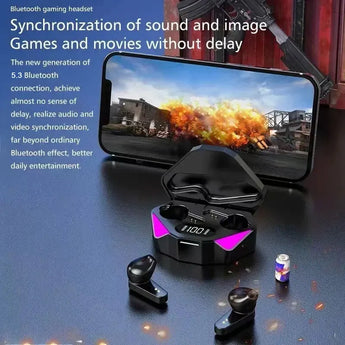
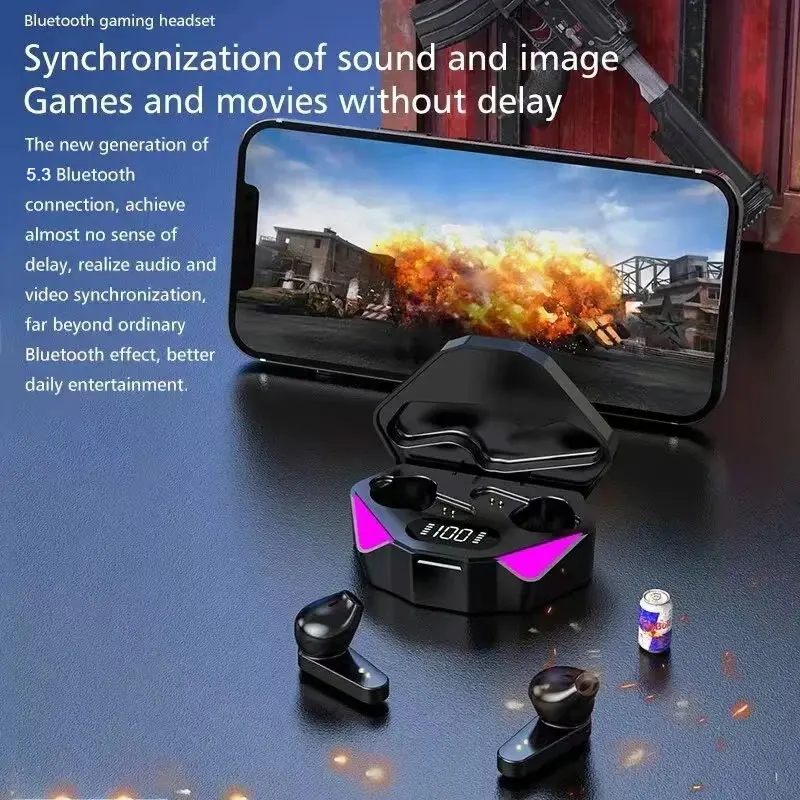
TWS Wireless Bluetooth Headset LED Display Gamer Earbuds with Mic Wireless Headphones Noise Cancelling Bluetooth Earphones X15
Description
SPECIFICATIONS
Active Noise-Cancellation: Yes
Audio latency: 0.01S
Battery Capacity[mAh]: 150
Category: Earphones & Headphones
Charging Time: 2
Communication: WireLess
Control Button: No
Control Method: Others
Department: Unisex-adult
High-concerned chemical: none
Speaker maximum output power: 0.1
Style: Wired in-ear headphones
Vocalism Principle: Balanced Armature
Volume Control: No
Wireless Type: Bluetooth
whether electrical: No
Features:
• Bluetooth 5.3 Technology :Experience seamless connectivity with Bluetooth 5.3 technology, ensuring stable transmission and high-quality sound for an immersive audio experience.
• 65Ms Low Latency :Designed with a low latency of 65Ms, these earphones provide quick response and accurate sound delivery, ideal for gaming or music listening.
• Esport Gaming Headset :This headset is specifically designed for esports gaming, offering superior sound quality and reliability for professional gamers.
• In-ear Style :The in-ear style of these earphones ensures a comfortable fit and provides noise isolation, making them perfect for gaming or music listening.
• With Microphone :Equipped with a microphone, these earphones allow for clear communication in multiplayer games or calls, enhancing your gaming experience.
• Compatible with Xiaomi & iPhone :These earphones are compatible with Xiaomi and iPhone devices, making them versatile and convenient for different users.
Product specifications:
BT version: V5.3
Support mode:a2dp/avctp/avdtp/avrcp/hfp
Transmission distance: 10 meters (in empty space)
Work time: About 2-3 hours
Charge time: about 1-2 hours
For the first time using, please full charge this product by acharger with output DV 5V/1A.
Note:
Take the earphones out of the charging case, and they will turn on automatically; once you place them back in the charging case and close the lid, they will turn off automatically.
After turning on, the earphones first enter the pairing mode.When one of the indicators goes out, the other will flash slowly. (Please note this is not a malfunction; it is explained in multiple languages in the manual.) Search for the device "X15" on your smartphone and pair with it.
Troubleshooting Steps (If "No Sound" Occurs):
1.Go to the Bluetooth settings on your mobile device.
2.Locate the earbud model "X15", then delete and cancel its pairing history.
3.Take out both earbuds again and re-pair them with your device.





Find Your Perfect Phone Case
Upgrade your phone with stylish cases designed for everyday protection. Discover premium designs for All Phones Cases.
Add a descriptive text here for your slide.

ACCESSORIES THAT INSPIRE
Explore smartwatches, AirPods accessories, chargers and everyday essentials designed to match your lifestyle.
Add a descriptive text here for your slide.


